Open source - uBridge device manager

Manage, configure, and stream data from uThing™ devices effortlessly.

Key Features

Streamline Your uThing™ Device Management

IoT Ready
Automatic Device Detection

Instantly recognizes and configures connected uThing™ devices.

Versatile
Flexible Data Streaming

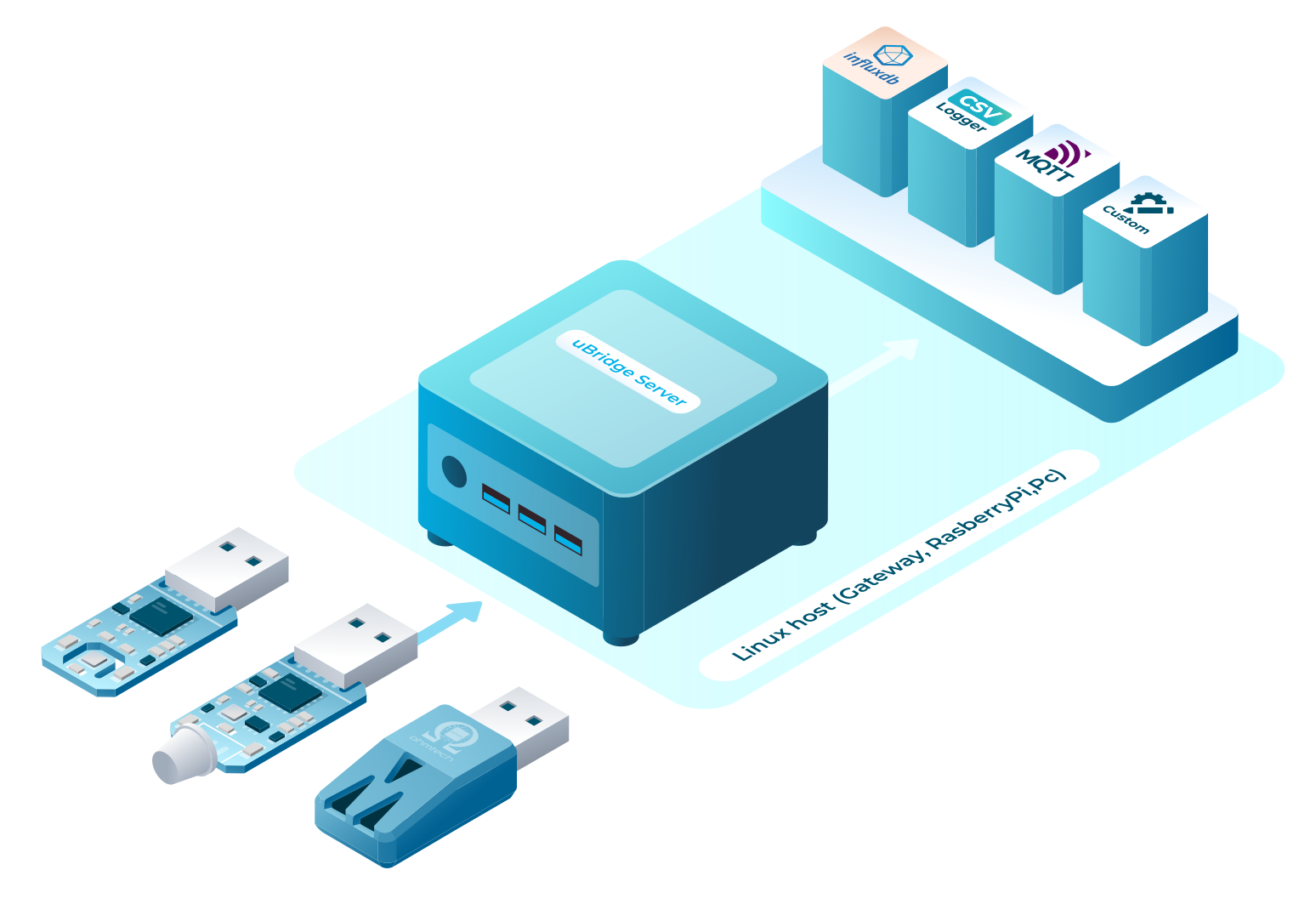
Send sensor data to CSV, InfluxDB, MQTT, or custom plugins.

Plug&Play
Lightweight & Efficient

Written in C++, runs as a daemon with minimal resource usage.

Modular-icon
Modular & Extensible

Easily integrates with various platforms and data processing workflows.

Overview

uBridge is a lightweight, modular application designed to seamlessly connect uThing™ devices with various data storage and messaging platforms. It enables real-time data streaming to MQTT servers, CSV files, InfluxDB databases, and customized plugins, making it a versatile tool for industrial and IoT applications.

‍Open Source

As an open-source project (MIT License), uBridge is built for flexibility and efficiency, allowing users to extend its capabilities through a plugin-based architecture. Whether running on an industrial PC, gateway, or Raspberry Pi style SBC, it operates with minimal system resources, making it ideal for embedded applications.

Lightweight & Efficient

uBridge is written in C++ for high performance and low resource consumption. For instance, in a resource-constrained Raspberry Pi 3, it typically uses less than 1% CPU and ~4 MB of RAM, making it suitable for low-power, always-on deployments.

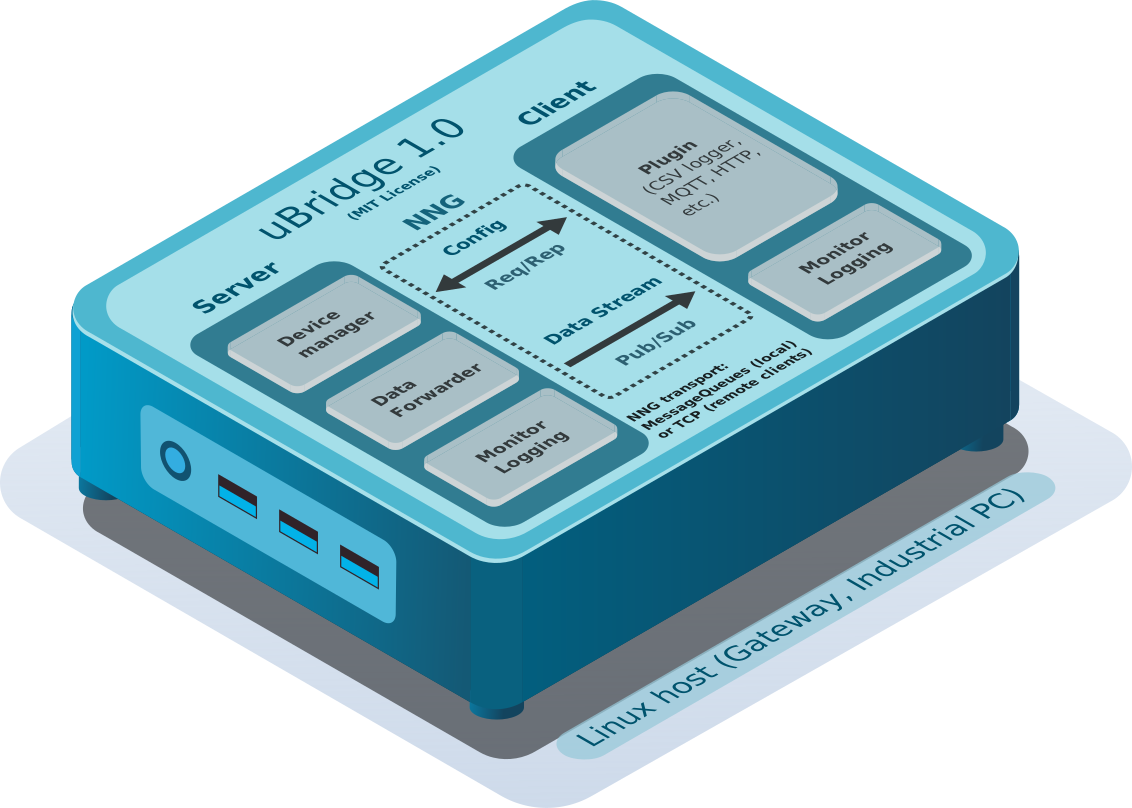
uBridge Architecture

How It Works

  • Daemon Operation: uBridge runs as a background service (daemon), constantly monitoring the machine's USB ports for newly connected devices.
  • Communication Protocols: uBridge utilizes the NNG (Nanomessage New Generation) socket library for messaging, supporting both IPC (Inter-Process Communication) for efficient local communication and TCP sockets for remote connections.
  • Automatic Device Detection: Upon detecting a uThing™ device, uBridge notifies connected plugins, optionally configures the new device, and listens for incoming data.
  • Configuration Interface: The Config socket uses a Request/Response model, allowing clients to send requests (e.g., setConfig, getConfig, getDevices, queryDevice, sendCommand, getStatistics) and receive corresponding responses with status or information.
  • Data Subscription: The Stream socket enables plugins to subscribe to specific topics (e.g., a single sensor) or all incoming sensor data, facilitating targeted data processing and integration.
  • Data Streaming & Processing: Each new sensor message is streamed to subscribed plugins.
  • Get Started

    To install uBridge and integrate it with your system, check out the uBridge Server documentation for setup instructions.

    uBridge Documentation

    Latest releases:

    10 Nov, 2024

    Release

    GitHub Repo

    Version 1.0.0 - Production Release

    CPU Load: <1% in a RPi3!, ~4 MB RAM.

    Tested on Ubuntu Server 24.04.2 LTS, RaspberryPi OS (Debian 12)

    Changed to libserial 1.0.0 (liberial-dev) for ease of installation